Hide private photos and videos, encrypted on your iPhone
Prive locks your photos and videos behind a PIN and Face ID, and encrypts them on your device before anything is saved. No account, no servers, no tracking.
Get Prive on the App Store Free for up to 20 photos and videos · iPhone, iOS 17 or later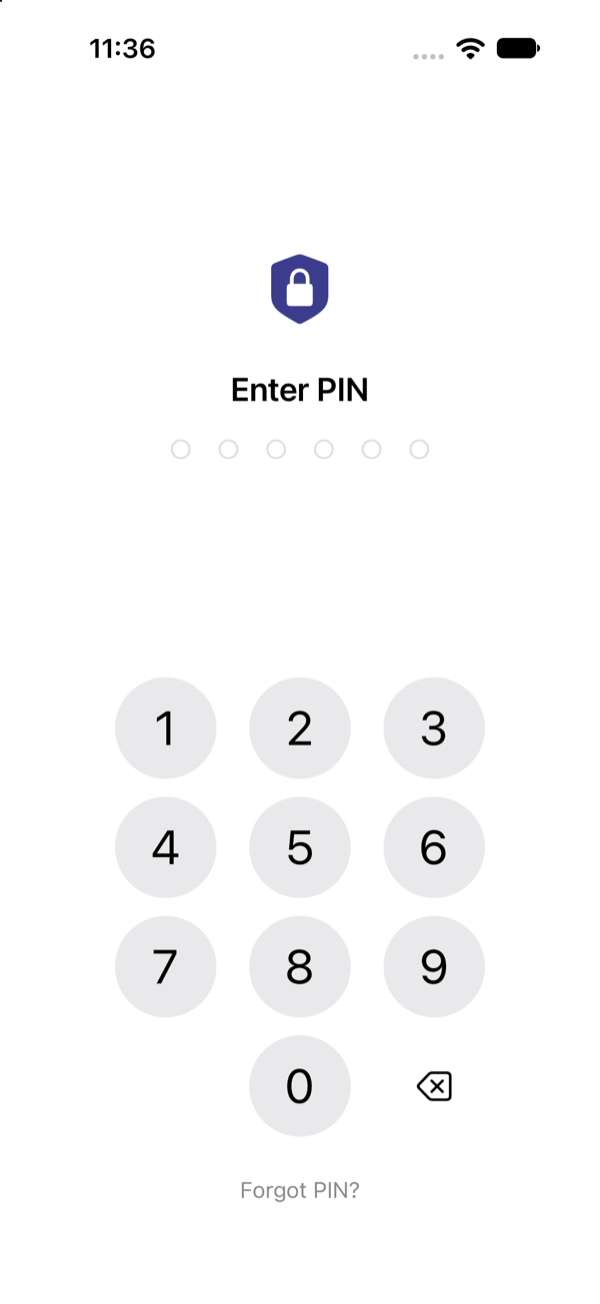
How Prive keeps your photos private
Most photo vaults ask you to trust their servers. Prive has none. Encryption happens on your iPhone, and the only copy that leaves it is the encrypted backup you choose to keep in your own iCloud.
Import or capture
Add photos and videos from your library, the camera, the private browser, or your computer over Wi-Fi.
Encrypted on device
Each item is encrypted with AES-256 on your iPhone before it is stored. You can choose to remove the originals from Photos after import.
Backup to your own iCloud
Turn on iCloud Backup and only already-encrypted data goes to your iCloud account, so you can restore your vault on a new iPhone.
Features
Everything you need to keep personal photos and videos out of sight.
- PIN + Face ID / Touch IDInstant auto-lock when you leave the app.
- A separate password for any albumLock the albums that matter most, with sub-albums.
- Break-in alertsOptional photo of whoever enters the wrong PIN.
- Alternate app iconsChoose a different icon for Prive on your Home Screen.
- Private browserSave photos and videos from the web straight into your vault.
- Wireless TransferSend photos from your computer over Wi-Fi, with no cable and no cloud.
- Encrypted iCloud backupBack up and restore across your devices.
- 24-word Recovery KeyA forgotten PIN never locks you out for good.
- OrganizeFavorites, search, duplicate finder and Recently Deleted.
- Built for privacyNo ads, no analytics, no third-party SDKs that track you.
What Prive doesn't do
The safest data is data that never leaves your phone.
- No account
- No servers
- No ads
- No analytics
- No tracking
- No uploads to us
Pricing
Try every feature for free. Upgrade only if you need more space.
Free
$0
- Up to 20 photos and videos
- Full encryption, PIN and Face ID
- No ads
Prive Premium
Monthly or yearly subscription · price shown in the app
- Unlimited photos and videos
- Everything in Free
- Cancel anytime in your Apple ID settings
Frequently asked questions
More answers on the Support page.
Do I need an account to use Prive?
No. There is no sign-up, email or login. You create a PIN on first launch and can add Face ID or Touch ID.
Can the developer see my photos?
No. Photos and videos are encrypted with AES-256 on your iPhone before they are stored. Prive runs no servers and collects no data; the App Store privacy label is “Data Not Collected”.
Where are my photos stored?
Only on your iPhone by default. If you turn on iCloud Backup, already-encrypted data is backed up to your own iCloud account so you can restore it on a new iPhone.
What happens if I forget my PIN?
Tap “Forgot PIN?” on the lock screen and enter your 24-word Recovery Key (Settings → Recovery Key) to set a new PIN. Because Prive has no server, we cannot reset it for you, so write your Recovery Key down when you set up the app.
Is Prive free?
Prive is free for up to 20 photos and videos. Prive Premium, a monthly or yearly subscription, unlocks unlimited storage. The price is shown in the app before you confirm.
Does Prive show ads or track me?
No. Prive has no ads, no analytics and no tracking.
Which devices does Prive support?
Prive is an iPhone app that requires iOS 17 or later. It can also run on iPad as an iPhone app.
Keep your private photos private
Encrypted on your iPhone. No account. No servers.
Get Prive on the App Store